A September 2026 public scan caught a "Shared Document" lure with a fake verification box. The page then built a blob: document configured for iCloud Mail, but the scan stopped at the gate. I recovered the code and ran it against my own test server. It displayed a screen and sent input back, and a code comparison tied it to the Nyasher phishing kit. Neither the scan nor my test showed a real iCloud login.
How a Blob became a phishing page
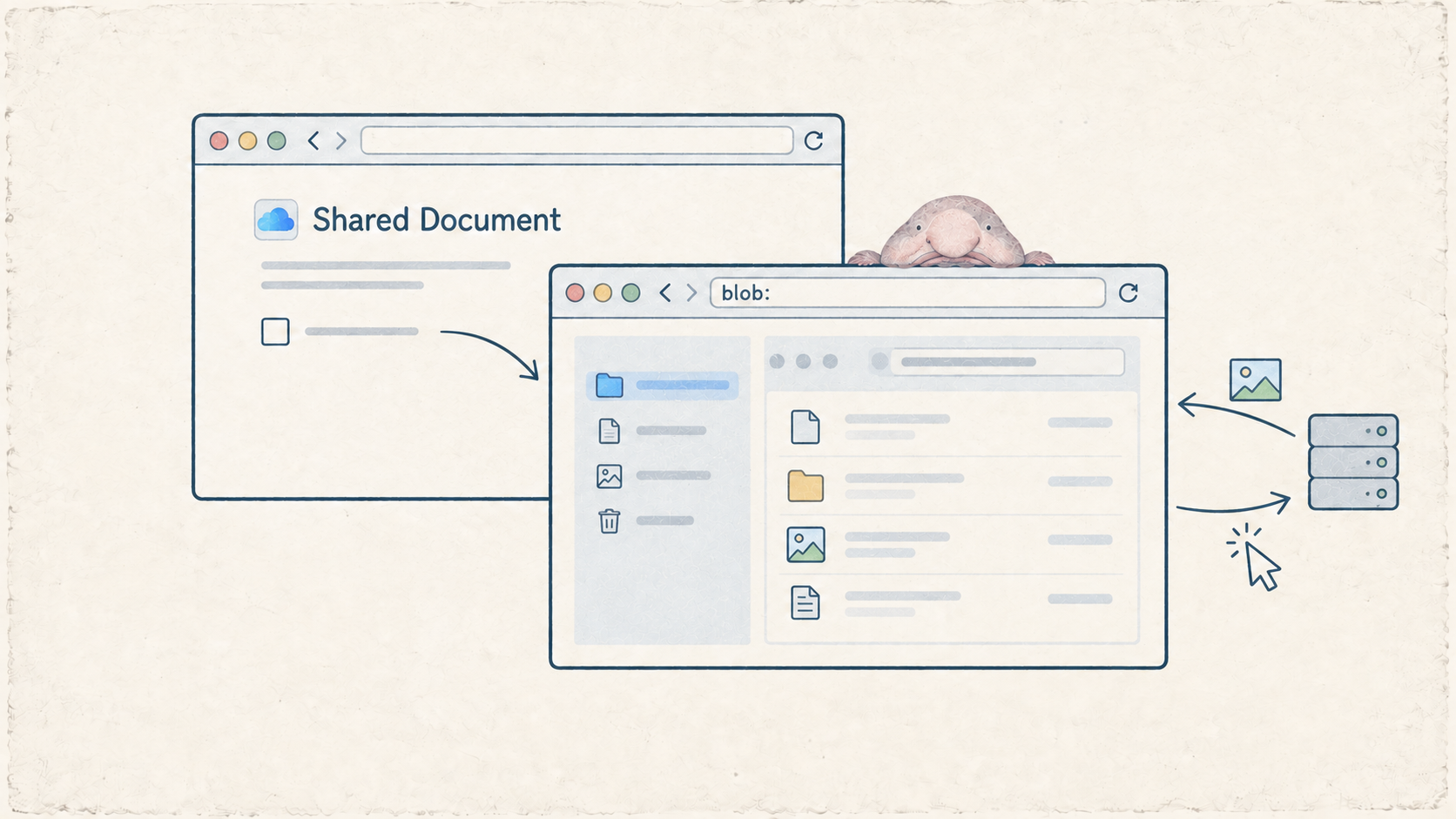
A Blob is data a web page creates in memory and treats like a file. It can hold an image, text, or a whole HTML page. JavaScript can hand that data to the browser and get back a temporary address starting with blob:. Open the address and the browser displays the data. MDN has the browser details.
You have probably used a Blob without knowing it. Sites use them for things like image previews and PDF downloads. Here, the loader put an HTML page into a Blob and opened it after the first page loaded. The browser built the page locally, but the code inside it could still talk to servers. The blob: address only points to data in that browser session. It does not contain the page itself.
What the public scan captured
The urlscan capture from September 12, 2026 showed a page titled "Shared Document." An iCloud-style icon sat beside a fake Cloudflare verification box.
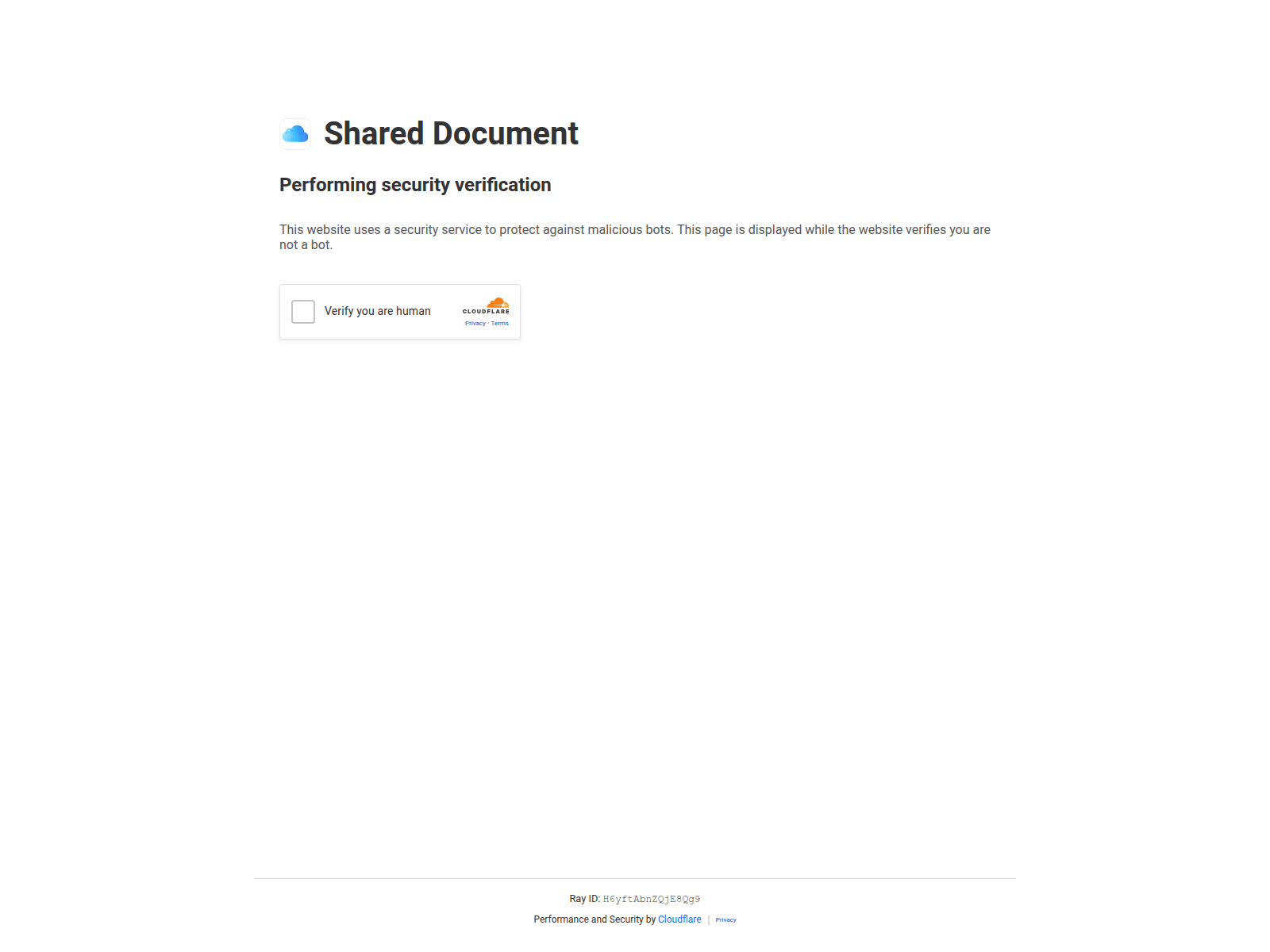
Figure 1. The archived lure. The iCloud Mail target came from the recovered configuration, beyond what this screenshot shows.
The saved requests held more than the screenshot showed: an encrypted response from a Cloudflare Worker and the Blob document that followed. A Worker is code running on Cloudflare's network. Offline decryption recovered 228,432 bytes of HTML. Its main script matched the one in the saved page byte for byte.
The recovered HTML named www.icloud.com/mail as the target and sage[.]gerude[.]site as the relay. The screenshot alone did not establish either one.
From encrypted response to Blob page
The loader is the script on the first page. It checked the Worker's /eal endpoint, then sent an encrypted request to /create. The reply held the HTML as encoded text inside an encrypted wrapper. The loader used a value in its own code to derive a key with SHA-256, decrypted the reply with AES-CBC, and built the Blob page:
var _bl = new Blob([_hc], {type: _0x[5]});
return URL.createObjectURL(_bl);

// Later, after getting that URL:
window.location.replace(_u);
These lines come from separate parts of the loader. _0x[5] resolves to text/html;charset=utf-8.
A blob: URL shows the site that created it and an ID assigned by the browser. You cannot take that URL to another browser and fetch the same page. In this case, the Blob held the screen and input relay. The public scan saved the Blob document, but its separate Frames view still showed the first HTTPS URL. The local replay provided a separate record of the navigation.
The click that opened the relay
The code splits verification into two stages. A timer in the loader sent the browser into the Blob page. That page then showed its own fake checkbox.
The Blob page called connect(true) when it started. The true flag made the client read its settings and stop before opening a WebSocket. September's setting was autoClick=false, so the normal visitor path waited for a real checkbox click before contacting the relay.
The checkbox handler checked for a real user click or the client's internal click token, then called connect(). That function opened a WebSocket, a connection that lets the browser and server exchange messages in both directions:
await connect()

// Inside connect():
socket = new WebSocket(wsUrl);
The public scan got as far as the checkbox and recorded no relay connection. The local replay reached the same point, though substitute assets changed how it looked:
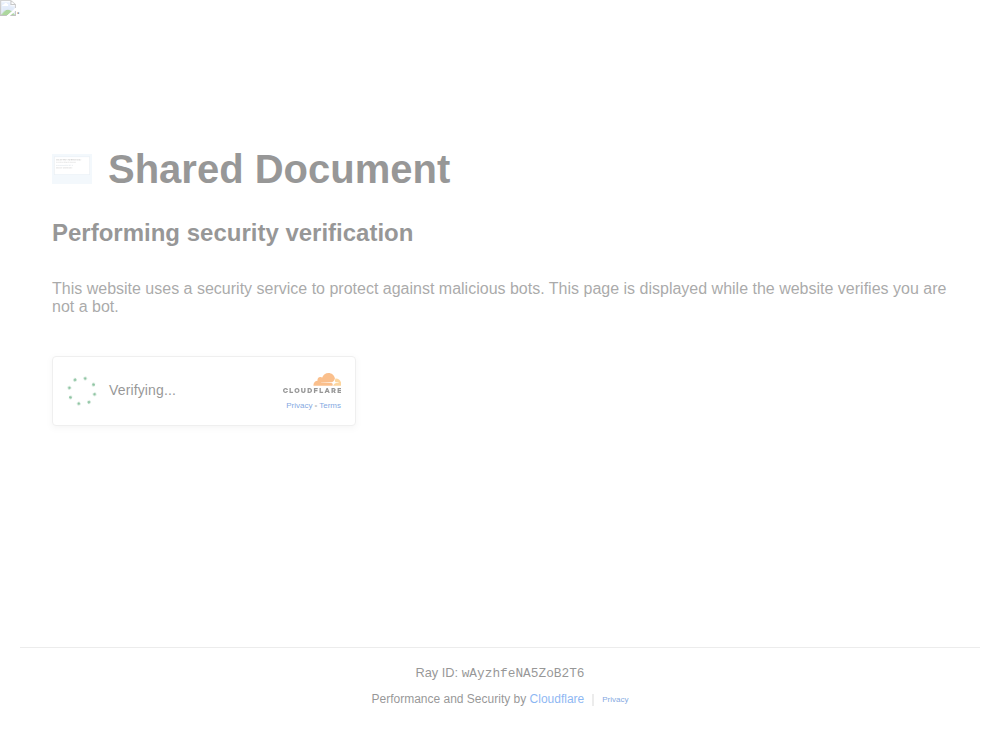
Figure 2. The verification stage in my replay. Local substitute assets changed its appearance.
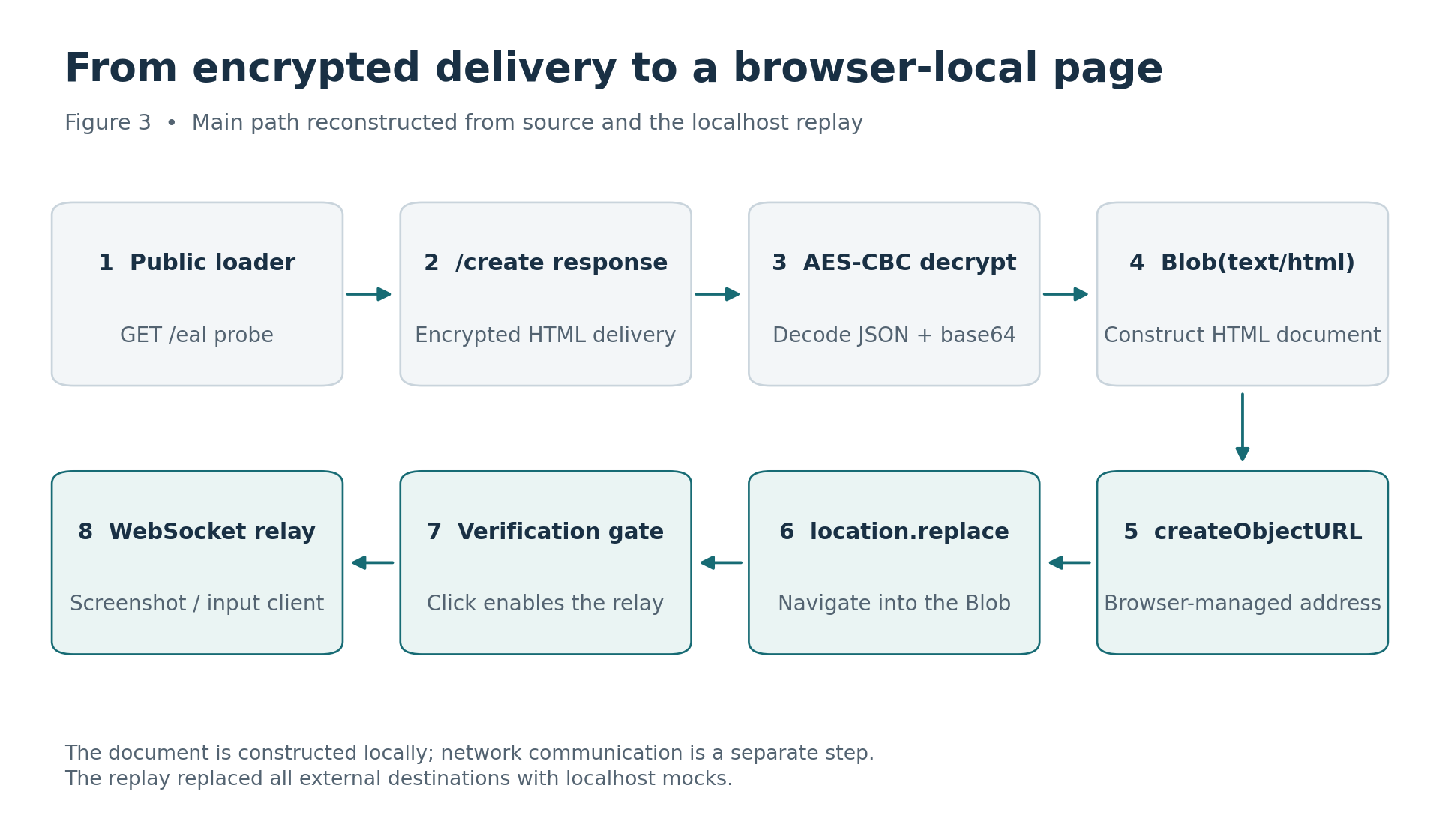
Figure 3. The delivery chain from the saved source and replay. /eal checked availability; /create supplied the encrypted payload.
What the local replay proved
To see what happened after the click, I pointed copies of the files at test servers on my machine. The saved originals stayed untouched. The test servers kept the encrypted /create exchange, accepted the WebSocket, and supplied a token and one screen clearly marked as synthetic. I typed only REPLAY_TEST_123.
The JavaScript was obfuscated, so I used an LLM to help read parts of it. I checked its suggestions against the saved files and my local replay.
Chrome and the test servers ran inside a separate network namespace, with firewall rules allowing only local traffic. The packet capture backed that up: all 241 packets went between 127.0.0.1 addresses. Both firewall ACCEPT counters matched the capture, which reported zero drops. Nothing reached the configured attacker relay.
Chrome ran as an unprivileged process with a disposable profile. Its own process sandbox was disabled for this test; the network boundary came from the namespace and firewall.
After the checkbox click, the page connected to my server. Its first message, dimensions, described the browser window. It went out before the server returned a session token.
That first message used a fixed AES-GCM key built into the client. Anyone with the key and a copy of the message can read those browser details. No session token is needed for that first message.
Once the test server sent the token, the client hashed the fixed key bytes followed by that token with SHA-256. It used the result for messages two through 68. That order reflects the test server's token timing.
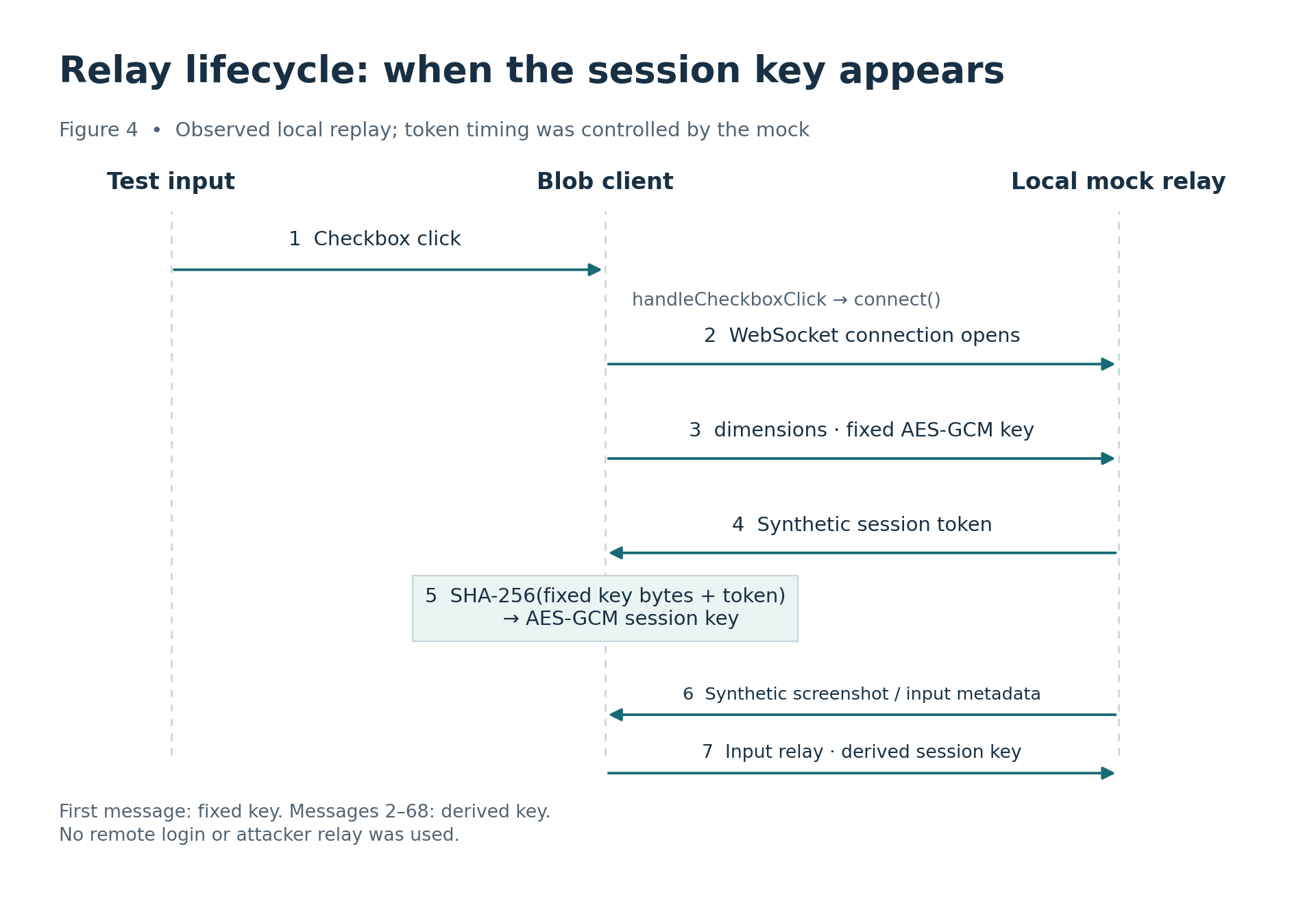
Figure 4. The order observed with my local server's token timing.
The test server authenticated and decrypted 68 messages from the page. I matched the encrypted messages to the captured browser WebSocket frames and the decrypted contents to what the browser showed before encryption. The client also displayed the synthetic WebP screen supplied by the server.
Most of the traffic was scrolling: 43 wheel messages. There were also 15 keyInputChange messages, two mousemove messages, three mousedown and three mouseup messages, plus one dimensions and one first_frame_received. Each text frame carried base64 data with an IV of 12 bytes, AES-GCM ciphertext, and an authentication tag of 16 bytes.
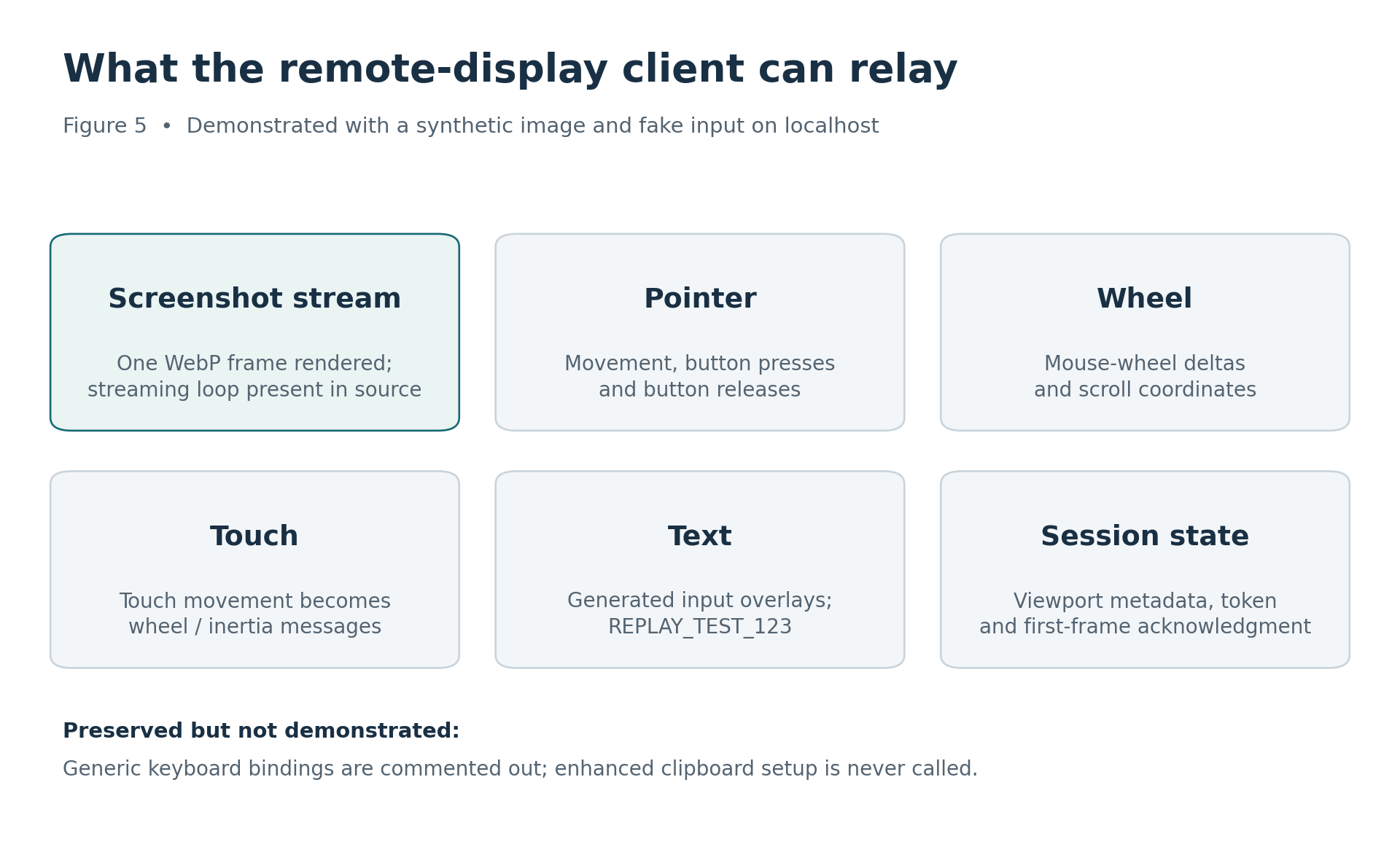
Figure 5. The paths exercised in the replay. The shortcut and enhanced clipboard paths were inactive in this sample.
Typing into the generated input field worked. Its input listener sent the text to the test server. The generic keydown, keyup, and keypress bindings were commented out, and shortcut tests produced no shortcut messages. The enhanced clipboard setup function was present but never called; the client used a fallback hidden value. The replay used one screen image, so it did not test a continuing stream.
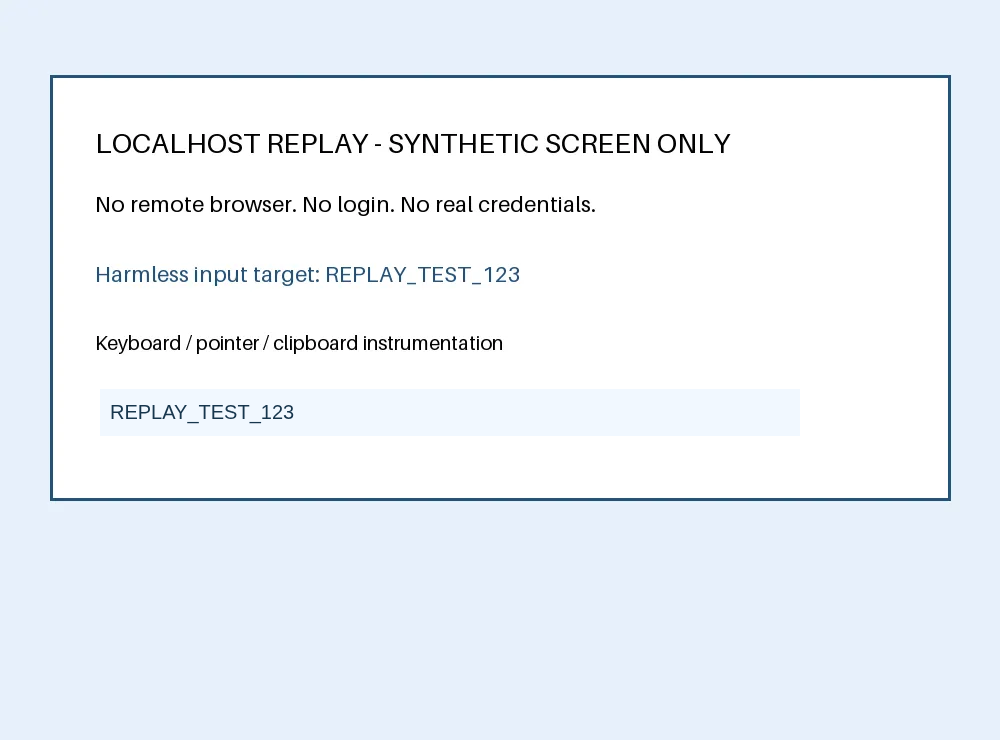
The synthetic localhost screen after I typed REPLAY_TEST_123 into the input overlay. The decrypted keyInputChange messages confirmed that my test server received it.
The public scan ended at the lure, and my replay used a synthetic screen. Neither showed an iCloud session, a second login step such as a temporary code, or account takeover.
Why I call this client Nyasher
The next question was whether this client was unique to the September page. ZeroBEC tracks the framework as Nyasher because its samples share the unusual hardcoded XOR key _SuperBigNyasher47_. This client has that key too.
Think of the Nyasher page as a window into a browser somewhere else. The visitor sees images from that browser and sends clicks and typing back to it. Surface Security documented that setup with Google sign-in. If someone signs in through that remote browser, its operator gets the authenticated session. The local replay showed the screen and input exchange with a test page. It did not include a real sign-in.
Work by DarkMarc and David E. Weekly pointed to earlier examples. Public captures from July 16 and August 22 targeted Outlook and Google. September's target was iCloud Mail.
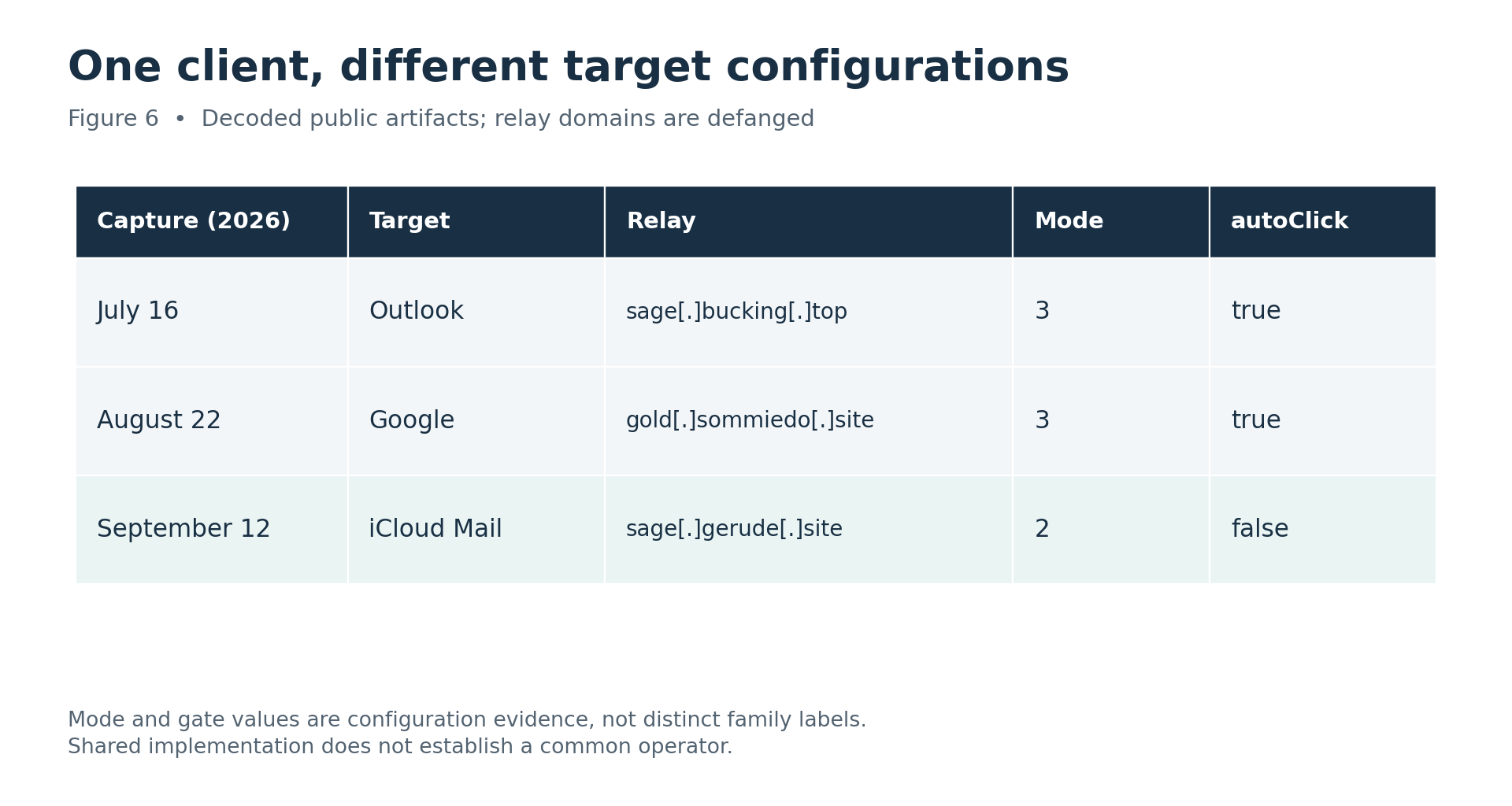
Figure 6. The three configurations side by side, with domains defanged.
The code comparison gives a stronger answer: 102 of the 103 named functions in September contain exactly the same code as the July and August clients. Once four configuration values are normalized, the main scripts match exactly. I use Nyasher for the shared client and BlobPhish for this sample's Blob delivery.
The one function that differed was connect(). The four configuration values were initial autoClick, cached U, cached H, and the IP information API token. The full HTML files and their hashes still differ.
The earlier clients already had the encryption code, too. These pages use the same client implementation with different settings. That still does not tell me who operated them.
How to recognize the same pattern
For another scan, the same trail gives a few places to start:
- Search urlscan or a similar archive for pages that request both
/ealand/create. Kirk also found other phishing content behind that pair. - Trace any
workers.devresponse to the loader. Check whether the loader navigates the main browser tab to ablob:URL, and tie that document to the same frame. Look for a verification box that copies Cloudflare's design on a page outside Cloudflare's verification flow. - After a verification click, check for a WebSocket to an unfamiliar domain and investigate its registration age. I have not established the age of this sample's relay.
- If
autoClick=false, inspect the saved source and click handler even when a scanner records no relay traffic. Earlier Nyasher configurations enabled automatic activation, so this setting changes what a scan can observe.
The saved requests and page code show the delivery path. The replay shows what happened after the click. Together with the fake gate and relay settings, that is the phishing context. A Blob or WebSocket by itself is a weak lead. I would also check srcdoc, document.write, and DOM insertion; those can build a page in the browser without a blob: URL.
Kirk found related infrastructure
My buddy @KirkDerpca, who runs derp.ca, searched public captures for the /eal and /create endpoint pair. He found 434 from 2026, mostly from July through September. He checked 59 of them. Of those, 55 led to Nyasher clients, one to a Microsoft device code phishing module, and three had no saved payload response.
He also found two more Workers configured to use the sage[.]gerude[.]site relay from the September sample. The endpoint pair is useful for hunting, but that Microsoft case shows it delivered other phishing content too. The shared paths and relay show infrastructure overlap. They do not establish that one operator ran every page.
Indicators from the September sample
These are the addresses and file hash from the September sample. The dots are replaced with [.] so nobody opens a domain by accident.
| Role | Indicator |
|---|---|
| Loader site | secureshdnskskfk[.]wonnerfitness[.]lat |
| Delivery Worker | shared-document-xvnt-2[.]jferrellsr[.]workers[.]dev |
| Configured relay | sage[.]gerude[.]site (/ws) |
| Recovered HTML SHA-256 | c5bd3fcc8266f414126857580bc2bb8f7ae9b7b64addd327554a707b6d03c871 |
secureshdnskskfk[.]wonnerfitness[.]latshared-document-xvnt-2[.]jferrellsr[.]workers[.]devsage[.]gerude[.]site (/ws)c5bd3fcc8266f414126857580bc2bb8f7ae9b7b64addd327554a707b6d03c871Where the evidence stops
The archived scan caught the encrypted delivery, the Blob page, and the gate. The local test showed the client displaying a synthetic screen and sending clicks, scrolling, and text back to a test server. The code comparison ties it to Nyasher.
Neither the public scan nor the replay showed a real iCloud sign-in or identified an operator. Kirk found the delivery paths in many captures, including one that served a different phishing module. That search does not measure how common Blob phishing is compared with ClickFix, which tricks people into running commands on their own devices. What I have is a concrete sample and a way to recognize the same pattern again.